Authentication
Overview
The KOOB API supports two authentication methods to secure access to our B2B hotel, experience, and trip booking platform:
- API Key Authentication - For server-to-server integrations
- OAuth Bearer Token Authentication - For applications requiring user-specific access
For detailed information about all endpoints, request/response schemas, and additional authentication details, visit our complete API Reference.
Which Method to Use?
- API Key: Use for server-to-server integrations where you're accessing resources on behalf of your organization
- OAuth Bearer Token: Use when you need to authenticate specific users and access user-specific resources
TIP
In the majority of cases, API Key authentication should be used over OAuth. Please confirm with our team before implementing OAuth.
API Key Authentication
API keys are provided by our commercial team and should be included in the X-API-Key header for all requests.
Usage
GET /api/v1/hotels
X-API-Key: your-api-key-here
Content-Type: application/json
Example Request
curl -X GET "https://node.api-dev.v2koob.tech/api/v1/hotels" \
  -H "X-API-Key: your-api-key-here" \
  -H "Content-Type: application/json"
OAuth Bearer Token Authentication
For applications that need to authenticate on behalf of specific users, use OAuth authentication to exchange email/password credentials for a Bearer token.
Step 1: Create API User Account
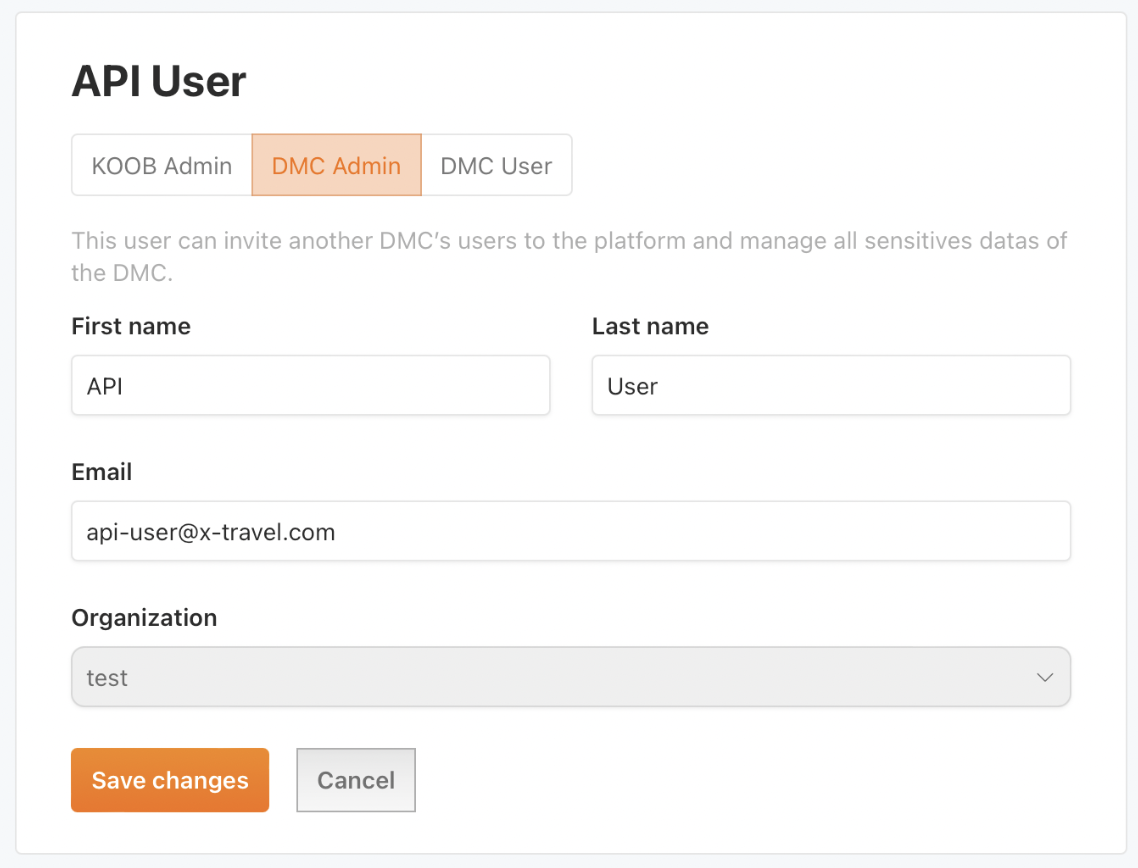
We recommend creating a separate user in your organization for your API needs. This can be done through the KOOB platform in the user management section.
WARNING
Choose an email that you have access to, as you will need to accept an invitation to create the user account.
Make sure to define a secured, random password and save it for later.
Step 2: Obtain Access Token
Exchange your email and password for an access token using the token endpoint.
Endpoint: POST /api/v1/oauth/token
Request Body:
{
  "username": "your-email@example.com",
  "password": "your-password"
}
Response:
{
  "accessToken": "eyJhbGciOiJIUzI1NiIsInR5cCI6IkpXVCJ9...",
  "tokenType": "Bearer",
  "expiresIn": 3600,
  "refreshToken": "def50200a1b2c3d4e5f6...",
  "createdAt": 1640995200
}
Step 3: Use Access Token
Include the access token in the Authorization header for subsequent API requests.
GET /api/v1/bookings
Authorization: Bearer eyJhbGciOiJIUzI1NiIsInR5cCI6IkpXVCJ9...
Content-Type: application/json
Example Authentication Flow
# 1. Get access token
curl -X POST "https://node.api-dev.v2koob.tech/api/v1/oauth/token" \
  -H "Content-Type: application/json" \
  -d '{
    "username": "your-email@example.com",
    "password": "your-password"
  }'

# 2. Use the returned token in subsequent requests
curl -X GET "https://node.api-dev.v2koob.tech/api/v1/bookings" \
  -H "Authorization: Bearer YOUR_ACCESS_TOKEN_HERE" \
  -H "Content-Type: application/json"
Token Management
- Token Expiration: Access tokens expire after the time specified in
expiresIn(in seconds) - Refresh Tokens: Use the
refreshTokento obtain new access tokens without re-authentication - Security: Store tokens securely and never expose them in client-side code